dev.stationaryreality.com
Site Updates
Site updates and dev notes — last entry: May 25, 2026. Track ongoing work, fixes, and content restructuring across the site.
Current & Complete Tasks
Explore active development tasks, site maintenance updates, and planned improvements, followed by completed tasks below.
Site Tools
Custom admin tools for exploring site structure, taxonomy behavior, and a visual archive of published media attachments.
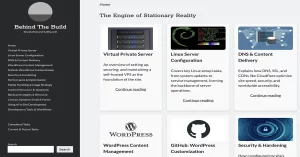
Virtual Private Server
An overview of setting up, securing, and maintaining a self-hosted VPS as the foundation of the site.
Linux Server Configuration
Covers key Linux setup tasks, from system updates to service management, forming the backbone of server operations.
DNS & Content Delivery
Explains how DNS, SSL, and CDNs like Cloudflare optimize site speed, security, and worldwide accessibility.
WordPress Content Management
How WordPress evolved from a casual setup into a structured, scalable content management system.
GitHub: WordPress Customization
Custom WordPress code and tweaks hosted on GitHub. Click to view my open-source customizations and plugins.
Security & Hardening
How I configured my site’s security layers, including firewalls, plugin choices, and practical hardening steps to protect against common attacks.
Performance & Optimization
Covers the tools, techniques, and strategies I use to improve my site’s speed, response time, and overall performance, both on the front end and server side.
Media Handling & Image Strategy
Outlines my approach to organizing, optimizing, and integrating images across the site—balancing performance, quality, and long-term maintainability.
Content Structure & Taxonomy
A dynamic framework connecting people, ideas, and media through structured tags, custom fields, and semantic relationships across the entire site.
Backup Strategies & Recovery
A concise overview of backup approaches, tools, and recovery planning to protect your site from data loss and downtime.
Contact Systems: Email & Forms
Covers how contact forms and email systems are configured to ensure reliable communication and secure message delivery.
Development Tools & Workflows
Covers the tools and workflows used to manage, develop, and maintain the site, including Obsidian, VS Code, Git and WP-CLI.
Demystifying Code: Intro
A journey into the heart of code and data—breaking systems down to their roots to master your craft from within.
Demystifying Code: What Files Look Like in Hex
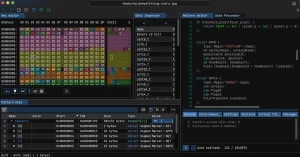
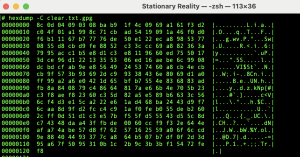
A visual tour of raw data—how hex reveals the hidden structure behind files, randomness, text, images, and code.
Demystifying Code: The Binary Bridge
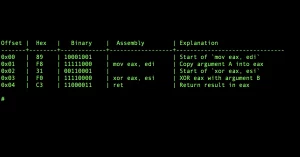
What does your computer really see when it runs a program? Let’s peel back the layers of a simple XOR tool.
Demystifying Code: XOR Magic
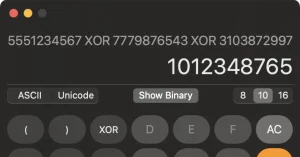
A single operator that can encrypt data, reverse strings, and even recover missing values? Welcome to the strange power of XOR.
Demystifying Code: What Wireshark Sees
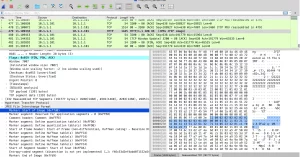
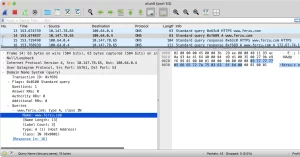
Using Wireshark, we visualize how data travels through your machine and the network — revealing encapsulation in vivid, byte-level detail.
Demystifying Code: Privacy Is Now the Default
Most web traffic today is encrypted — but what does that really mean, and what does it protect you from?
Demystifying Code: GNU Privacy Guard
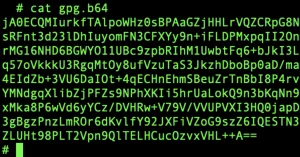
GPG reveals the real distinction between cleartext, encoding, and encryption — a perfect entry into the world of modern cryptography.
Demystifying Code: When DNS Betrays You
Even if your web traffic is encrypted, your DNS queries may still leak what sites you visit. Here’s what that looks like—and how to stop it.
Demystifying Code: Passwords, Hashes & Salt
How passwords are stored, how hashes work, and why modern systems rely on salts to slow down attackers.
Demystifying Code: Tools That Bend the Rules
Raw tools like curl, telnet, and netcat let you explore, debug, and defy standards—revealing how systems actually behave.
Demystifying Code: Patterns on the Wire
Snort, ClamAV, and YARA reveal a shared logic between antivirus and network intrusion detection—pattern matching as control, insight, and defense.
The Power of Open Source: Why Linux and the Command Line Still Matter
I wanted to write an article on open source software, and specifically Linux. Sometimes I forget how deeply I understand these systems—and that many people…
How I Rebuilt My WordPress Sites from Scratch on NGINX
My sites are currently using Wordpress on Apache. It is more efficient on a low-end VPS to use NGINX.
Creating a Custom Footnotes System for WordPress CPTs
A custom shortcode-powered footnotes system that connects chapters to referenced CPTs like books, concepts, and quotes with anchors.
Installing a Second Instance of WordPress
ChatGPT has empowered me to create a site with more advanced features than I imagined possible. I have a lot of work ahead of me…
How a Simple Memory Setting in ChatGPT Saves You Tokens and Extends GPT-4 Access
A single memory instruction can make GPT-4-turbo more efficient—just ask, and it’ll start using fewer tokens.
Wiping Deleted Files from Free Space with dev/urandom
Deleted files linger in free space. dev/urandom makes overwriting them easy. cat /dev/urandom > tmp. No paid tools needed—just raw terminal power.
Transcribing Audio With OpenAI / Whisper
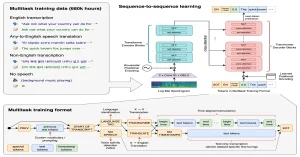
It is very easy to install Open source/free AI software locally. OpenAIs Whisper lets you convert any audio file to text locally. This allows you to keep your files private without having to upload them to a web-based transcriber.
Using Adminer to Manage WordPress Database Tasks Securely
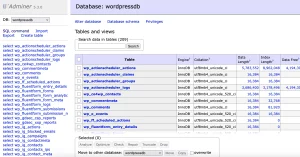
I used Adminer to safely and efficiently replace featured image extensions with .webp in the database, avoiding manual updates while preserving file paths and post associations.
Creating a Full Disk Image Backup of a VPS Using dd
Using dd in Rescue Mode, I cloned my VPS’s disk for a full WordPress backup, ensuring bare-metal recovery.
How My Homepage Grid Reflects My Content Workflow
A breakdown of how my homepage grid reflects the full content lifecycle — from tasks to chapters — using dynamic WordPress structures.
Using Koofr to Backup Chapters
Free 10GB Koofr storage makes encrypted chapter backups easy with rclone. Sync folders, save logs, and automate with aliases.
Using Safari’s Developer Tools to Create Images from WordPress Cover Blocks
Learn how to turn styled WordPress cover blocks into crisp images using Safari’s built-in developer tools on macOS.
SOLVED: Figure Out Why Some Pages Are Seen As Redirects
I recently added my site to Google search console. This tool give you insights into how Google indexes your site and if it sees any issues.
Creating WP-CLI Script To Automate Task Insertion
Simple shell script using WP-CLI to instantly create placeholder tasks as blog posts with default images and excerpts.
Semantic Portal Architecture & Cognitive Interface System
The portal system is evolving beyond traditional taxonomy archives into a layered semantic interface designed to help users navigate complex ideas through relationships, symbolic interpretation, inferential mapping, and adaptive knowledge presentation. This upcoming architecture will transform portals into curated cognitive environments capable of combining topics, concepts, themes, entities, and dynamic relationship structures into guided interpretive experiences. The long-term goal is to build an extensible semantic infrastructure where portals function less like category pages and more like navigable maps of interconnected meaning.
Element Integration Architecture & Contextual Attachment System
Further development is needed to determine how Elements should visually, structurally, and semantically integrate across the broader composition system. Additional real-world Element creation is required before finalizing shared rendering logic, “Featured In” behavior, attachment hierarchy, and compositional relationships with Chapters and Fragments.
Universal Attribution System for Authors, Creators, Speakers & Media Sources
Expand the current author-centric relationship architecture into a universal attribution system capable of supporting books, films, television, games, songs, dialogue, quotes, excerpts, lyrics, and collaborative media sources through flexible creator/speaker/source relationships.
Multi-View Semantic Portal Rendering System
Develop a modular multi-view rendering system for portal pages that allows the same semantic dataset to be displayed through multiple presentation modes such as grid, list, stream, timeline, graph, and immersive text layouts. The goal is to separate semantic aggregation from visual presentation so portals become dynamic exploratory interfaces rather than static archive pages.
Semantic Taxonomy & Dynamic Portal Architecture Refactor
Restructure the site taxonomy system from a flat classification model into a semantic relationship architecture that supports dynamic portals, automated conceptual relationships, derived metadata, and multiple rendering modes. This project will unify topics, themes, concepts, and portal behavior into a scalable semantic framework designed for discovery, hypertext navigation, and graph-oriented content exploration.
Narrative Element Metadata & Footnote Architecture
Redesign how Narrative Elements interact with metadata, footnotes, and reverse relationship references inside narrative structures.
Narrative Element Embedding System
Develop a reusable system for embedding Narrative Elements into Chapters and Fragments as live modular content components.
Narrative Elements Relationship & Visibility Audit
Standardize how Narrative Elements connect to Songs, Lyrics, Fragments, and Chapters while preserving orphan detection and relationship integrity.
Consolidate CPT Navigation Image Batch Scripts into Modular Master Updater
Create a centralized WP-CLI maintenance script that handles generic featured image assignment across multiple CPTs using a modular configuration structure and smart update detection.
Semantic Taxonomy Architecture + AI-Assisted Topic Tagging System
Develop a long-term semantic tagging workflow that bridges search discovery, taxonomy navigation, and AI-assisted topic assignment across all CPTs. Focus on establishing a sustainable intake + enrichment system for excerpts, lyrics, quotes, and other content types using controlled topic vocabularies and batch tagging workflows.
Implement Entity-Based People Taxonomy to Resolve Content Attribution and Display Logic Issues
Introduce a dedicated “People/Entity” taxonomy to decouple content meaning from source types, allowing person pages (e.g., Nikola Tesla, Plato) to aggregate all relevant content regardless of source classification.
Listening Room Implementation
Create a dedicated music space for personally meaningful songs, separate from analytical references.
Music Player & Playlist System
Research and implement a music player capable of supporting curated playlists.
Rap Chapter Finalization & Publication
Complete and publish the long-standing rap chapter currently in draft status.
Chapter Decomposition into Elements
Extract reusable components from chapters into standalone element CPTs.
Content Backlog Integration Strategy
Organize and prioritize external content sources for future integration.
File & Folder Organization System
Standardize naming and organization of local content files for easier integration.
Book Notes Consolidation Workflow
Convert scattered book notes into structured, prioritized content lists.
Content Model Consistency Audit
Review CPT relationships and rendering logic for consistency across all content types.
Image Gallery Size Normalization
Standardize image display sizes to prevent oversized images in galleries.
Generalized Attribution Logic
Refactor excerpt attribution to support multiple content types beyond books.
Non-Book Media Attribution (Movies, TV, Games)
Enable quotes and excerpts from non-book media to connect directly to profile CPTs.
Artist CPT Content Aggregation
Update artist pages to display all lyrics without requiring navigation into individual songs.
Element ↔ Chapter/Fragment Relationship System
Create bidirectional relationships between elements and the content they appear in.
Element CPT Field Simplification
Evaluate whether elements need ACF fields or should remain minimal content-only blocks.
Element CPT Rendering Strategy
Decide whether elements should be embedded statically or rendered dynamically via shortcode.
Redesign Portal System for Unified Multi-CPT Rendering
Create a future-proof portal layout that cleanly displays all CPTs using consistent visual patterns, standardized block structures, and expandable taxonomy rules.
Develop Tag-Driven Related Content Sections
Replace manual in-text links with automated related content blocks generated from shared taxonomy tags.
Fix Navigation Glitch Where I Have to Sometimes Scroll up Twice Before It Refreshes
The left navigation bar acts funny sometimes. It has a delay where it will be stuck unless i scroll up twice.
Iterative Taxonomy Governance System
Established a long-term taxonomy governance workflow where high-frequency tags evolve into curated portal structures.
Live Content Search Tool
Built a lightweight text-only search explorer powered by native WordPress and Relevanssi indexing.
Rap Content Separation Strategy
Create a dedicated structure for rap lyrics to improve visibility and organization.
Semantic Content Discovery Workflow
Developed a semantic discovery workflow connecting filtering, search, taxonomy promotion, and portal generation.
CPT ID Export + Batch Tagging Pipeline
Added grouped CPT-aware ID exporting for bulk taxonomy tagging and automation workflows.
Video Game CPT Creation & Migration
Introduce a video game CPT and migrate existing references into structured entries.
Live Content Filter Tool
Implemented a live client-side content filtering system for instant exploration of all published CPT titles.
Footnotes Viewer Tool
Built a dynamic Footnotes Viewer capable of rendering modular shortcode-based references for Chapters and Fragments.
Public Media Library Explorer
Created a public-facing media library browser for exploring attached published images in bulk.
Modular Admin Tools Framework
Rebuilt the public Admin Tools system into a modular template-part architecture using dynamic routing and reusable components.
Rewrite Footnotes & Profile Components with Graceful Failure Handling
(Dev Site): Content Structure and Ordering Overhaul
Reorganize dev site content architecture to unify CPT usage, improve ordering logic, and reduce manual management for tasks and articles.
Fragment Grid Taxonomy Query Fix
Fixed an issue where all fragments displayed on theme and topic pages by making the fragment grid respect taxonomy-specific queries.
Streamlining CPT Archive Redirects and Canonical Structure
Added Bidirectional Sync for Concept Relationships
Implemented automatic two-way syncing for “related_concepts” ACF field, ensuring Concept relationships stay mirrored both directions without manual updates.
Audit and Replace Manual Links
Review content for hardcoded internal links and transition them to tag-based or automated relationships.
Promote Key Tags into Concept CPTs
Convert high-value topic tags into full concept pages with definitions, imagery, and interlinking capabilities.
Trim and Enhance Lexicon Entries
Shorten concept definitions and add expandable “Read More” functionality for smoother lexicon browsing.
Refactor Lyric Cover Blocks
Create a consistent lyric block structure showing song and artist names for all primary and secondary excerpts.
Redesign Footnotes System
Rebuild the footnotes layout for consistency, readability, and richer metadata display across all reference types.
Standardize CPT Visual Structure
Unify visual dimensions and layout styles across all custom post types for a cleaner, more coherent browsing experience.
Future Theme Migration & Local Sandbox Testing
Plan to revisit full theme migration using LocalWP and UpdraftPlus to test lightweight parent themes and rebuild a modern child structure.
Restoring Nginx Config to Fix Nav Flash Bug
Fixed a flashing nav bar issue that looked like a theme bug but was actually caused by temporary Nginx config changes.
Fixing WordPress CSS Caching Issues with Cloudflare and Versioned Assets
Resolved a tricky bug where Safari and Waterfox loaded truncated CSS by implementing automatic cache-busting with file modification timestamps.
Modify CPT Index to Include Sub Pages for Each Section
Right now it lists all CPTs, but I want it to also list each individual CPT type together in the same clean list.
Explore Additional WordPress Features for Unification
Identify unused WP features that can simplify site structure.
Audit Functions File and Refactor Into Organized Includes
Clean up functions.php and organize reusable functions.
Review Child Theme Code for Reusable Components
Audit theme files for duplicate logic and convert to shared template parts.
Unify Taxonomy Pages with Search Display Logic
Reuse search display structure for taxonomy templates.
Plan & Implement Taxonomy Structure for Themes and Profiles
Define taxonomy system for themes, profiles, and genres/fields.
Unify Song & Chapter Grids into Template Parts
Extract grids into reusable partials for songs and chapters.
Reevaluating Lyric and Quote Strategy for Scalable Integration
Exploring scalable ways to excerpt lyrics and quotes without overloading the site with unneeded CPTs or complex structures.
Reframing Lexicon Integration and Tracking Unused CPTs
Lexicon entries can now originate outside chapters—raising questions about dangling CPTs, integration balance, and long-term content planning.
Expanding the Themes Taxonomy for Cross-CPT Tagging
Themes are evolving into a flexible tagging system—now requiring multi-chapter support and full cross-CPT search integration.
Adding Subtitle Field to Book CPT for Cleaner Display
Planning to separate book subtitles into a new field for cleaner styling and simplified display across templates and archives.
Excerpt Automation for Custom Post Types
Auto-generate excerpts for lyrics, quotes, and references using ACF plain text fields to improve search previews and Yoast SEO output.
Set Up Security.txt and Email Authentication Records (SPF, DKIM, DMARC)
Added security.txt and DNS records to support secure disclosures and email authentication using SPF, DKIM, and DMARC protocols.
Modify People Referenced Pages To Include Wikipedia API With Advanced Custom Fields
I want to add a wikipedia bio to people referenced pages using wikipedia’s API and ACF Pros custom field to store wikipedia slug.
Fix Category Archives for Posts and Chapters
I just noticed that my post and chapter archives are disabled, except for uncategorized posts… Need to fix.
Implement Parallel Data Structure for Dynamic Content Rendering
I want to design a parallel data structure to separate content from layout, enabling clean dynamic page rendering across all site sections.
Create CSS Style for Cover Block Width
I need to find a way to reduce the width of all cover blocks. They currently stretch beyond the main section.
Modify Tag System at Bottom of Chapters
At the bottom of chapters, it shows all the chapters associated tags. I want to fix this area to be more specifically controlled for use with future ACF Pro field integration.
In Progress: Convert All Cover Blocks to WebP Images
This taks is very annoying and will take some time, probably months. But it is essential for my task of ACF Pro custom field integration.
Convert All Images to WebP
I am currently converting all image to WebP format which is much smaller. This involves consolidating every image, one chapter at a time into a folder and renaming them according to my new naming convention.
Create Custom Post Types for Artists, People Referenced & Books
I created CPTs for Artists, People Referenced, and Books. I also created ta grid page and individual templates for each CPT.
Pushing Through the Overload to Regain Creative Flow
Too many simultaneous tasks are stalling content creation—time to simplify, prioritize, and push through the mess.
Designing a Narrative-Driven Image Gallery System
Planning a flexible gallery system that enhances Media Library images with ACF fields and taxonomy-driven storytelling capabilities.
Fixing Movie CPT Layout and Automating Wikipedia Slug Imports
Centering movie covers and nav buttons, auto-importing Wikipedia slugs, and linking movies to narrative chapters and related content.
Plan Content Migration Strategy and Evolve Narrative Thread Structure
Migrate draft content into CPTs, explore flexible chapter and thread models, and test non-song anchors like books or quotes.
Develop Scalable Strategy for the Quote Library and Source Integration
Design quote system to link sources, profiles, and themes—balancing visual style, fair use, and scalability for heavily quoted books.
Plan Structure and Usage of the Lyrics CPT for Cross-Linking and Categorization
Outline how lyrics CPT will connect to chapters, artists, and concepts using hybrid layouts and flexible categorization as structure evolves.
Rebuild the Search Results Page for Flexible Multi-CPT Display
Redesign search page to group CPT results using dynamic grids with flexible layouts, accommodating any mix and quantity of content.
Design Quote Integration System for Book Page Template
Determine best method for embedding styled quote blocks in book pages, affecting layout, storage, and future lyric page design.
Link Referencing Chapters to Movie Pages and Extend Cross-CPT Display Logic
Add dynamic chapter references to movie pages using ACF fields, with shared logic for books and support for future content types.
Define the Future of the Lexicon Page and Expand Concept Structure
Reimagine the Lexicon as a dynamic concept hub, supporting metadata-rich relationships and future expansion beyond static definitions or tags.
Exploring a Reverse Shortcode System for Uniform Cover Blocks
Considering reverse shortcodes or template injection to fix inconsistencies in CPT cover blocks and simplify linked content styling.
Converting Song Titles to CPT Links in Narrative Chapters
Migrating song titles from text fields to CPT links in chapters, with updated templates and improved footnote integration.